
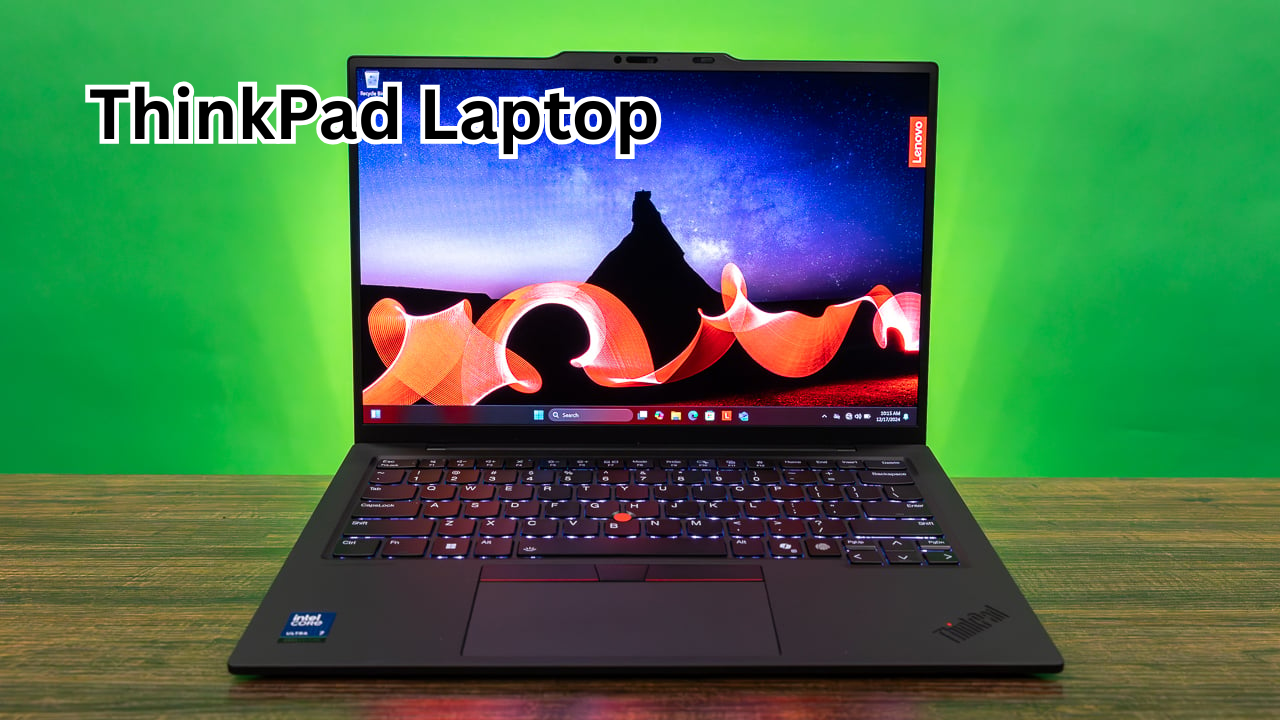
When it comes to reliable business laptops, the ThinkPad series by Lenovo has built a reputation that few competitors can match. Known for durability, performance, and a professional design, ThinkPad laptops are widely used by students, professionals, and enterprises worldwide.
In this guide, you’ll learn everything about ThinkPad laptops—from their key features and popular models to performance, pros and cons, and how to choose the right one for your needs.
What Is a ThinkPad Laptop?
A ThinkPad laptop is a premium line of business-focused laptops originally developed by IBM and later acquired by Lenovo. These laptops are designed for productivity, long-term use, and reliability.
ThinkPads are especially known for:
- Strong build quality
- Excellent keyboards
- Long battery life
- Enterprise-level security features
They are commonly used in offices, universities, and by professionals who need a dependable machine.

Key Features of ThinkPad Laptops
ThinkPad laptops stand out because of their unique combination of design, performance, and functionality.
1. Durable Build Quality
ThinkPads are built to last. Many models meet military-grade standards (MIL-STD-810H), which means they can handle:
- Drops and shocks
- Extreme temperatures
- Dust and humidity
This makes them ideal for users who travel frequently or work in tough environments.
2. Legendary Keyboard Experience
One of the biggest reasons people choose ThinkPads is the keyboard.
- Comfortable typing experience
- Deep key travel
- Spill-resistant design
Writers, programmers, and office workers especially appreciate this feature.
3. TrackPoint and Trackpad Combo
ThinkPads come with the iconic red TrackPoint in the center of the keyboard.
- Allows precise cursor control
- Useful when you don’t want to use a mouse
- Works alongside a smooth trackpad
4. Strong Performance Options
ThinkPads offer a wide range of hardware configurations:
- Intel Core i5, i7, and i9 processors
- AMD Ryzen processors
- SSD storage for fast performance
- Up to 64GB RAM (in high-end models)
5. Advanced Security Features
Security is a major focus in ThinkPads.
- Fingerprint reader
- IR camera for facial recognition
- TPM (Trusted Platform Module)
- Privacy shutter for webcam
These features make them ideal for business users handling sensitive data.
Popular ThinkPad Series Explained
ThinkPad laptops come in different series, each designed for specific users.
| Series | Best For | Key Features |
|---|---|---|
| ThinkPad X Series | Portability | Lightweight, premium design |
| ThinkPad T Series | Business professionals | Balanced performance and durability |
| ThinkPad E Series | Budget users | Affordable with solid features |
| ThinkPad L Series | Entry-level business | Good value for money |
| ThinkPad P Series | Power users | High-performance workstation |
Performance and Everyday Use
ThinkPad laptops are built for productivity. Whether you’re working on documents, coding, or running business applications, they perform smoothly.
Suitable For:
- Office work (Word, Excel, presentations)
- Programming and development
- Video conferencing
- Light to moderate editing tasks
Not Ideal For:
- High-end gaming
- Heavy 3D rendering (unless using P Series)
If your main goal is productivity, ThinkPads are among the best options available.
Pros and Cons of ThinkPad Laptops
Pros
- Extremely durable and reliable
- Best-in-class keyboard
- Strong security features
- Wide range of models for every budget
- Excellent battery life
Cons
- Design can feel outdated compared to modern ultrabooks
- Not ideal for gaming
- Premium models can be expensive
How to Choose the Right ThinkPad Laptop
Choosing the right ThinkPad depends on your needs and budget. Here’s a simple guide to help you decide.
For Students
- Choose ThinkPad E or L Series
- Look for 8GB RAM and SSD storage
- Lightweight models are better for portability
For Office Professionals
- Go for ThinkPad T Series
- Minimum 16GB RAM recommended
- Focus on battery life and security features
For Power Users
- Choose ThinkPad P Series
- High-end CPU and GPU required
- Ideal for engineering, design, or heavy multitasking
For Frequent Travelers
- ThinkPad X Series is best
- Lightweight and long battery life
- Compact and easy to carry
ThinkPad vs Other Laptops
ThinkPads compete with brands like HP, Dell, and Apple. Here’s how they compare:
- Vs HP: ThinkPads are more durable and have better keyboards
- Vs Dell: Similar performance, but ThinkPads focus more on business use
- Vs MacBook: MacBooks have better design, but ThinkPads offer more flexibility and ports
Battery Life and Portability
Battery life is one of the strongest features of ThinkPad laptops.
- Many models offer 8–15 hours of battery life
- Fast charging support in newer models
- Lightweight options available under 1.3 kg
This makes them ideal for long work sessions without needing constant charging.
Maintenance and Upgrade Options
Unlike many modern laptops, ThinkPads are often upgrade-friendly.
- RAM can be upgraded (in many models)
- Storage can be replaced or expanded
- Easy access to internal components
This helps extend the lifespan of the laptop and saves money in the long run.
FAQs About ThinkPad Laptops
1. Are ThinkPad laptops good for students?
Yes, ThinkPads are excellent for students. They are durable, reliable, and offer great battery life, making them perfect for daily academic use.
2. Why are ThinkPads so popular in businesses?
Businesses prefer ThinkPads because of their security features, reliability, and long-term performance. They are built for professional use.
3. Can I use a ThinkPad for gaming?
ThinkPads are not designed for gaming. However, high-end models like the P Series can handle some games, but gaming laptops are a better choice for that purpose.
4. How long does a ThinkPad laptop last?
With proper care, a ThinkPad can last 5–8 years or even longer. Their durability is one of their biggest advantages.
5. Are ThinkPads worth the price?
Yes, especially if you need a reliable laptop for work or study. While they may seem expensive, their durability and performance make them a good investment.
Final Thoughts
ThinkPad laptops continue to be a top choice for users who value reliability, performance, and practicality over flashy design. Whether you’re a student, professional, or business user, there’s a ThinkPad model tailored to your needs.
They may not be the most stylish laptops on the market, but when it comes to getting work done efficiently and consistently, ThinkPads remain one of the best options available.
If your priority is a laptop that lasts for years and performs without issues, a ThinkPad is definitely worth considering.
Also Read: Island Boys Net Worth: How Much Are They Really Worth in 2026?